DESYNC
for Escape From Tarkov
Cheat Description
DESYNC is a tool designed to change the nature of network interaction in the Escape from Tarkov game. The program allows you to influence the synchronization of data between the game client and the server, creating conditions for controlled misalignment in the transmission of information.
The functionality of the tool is based on modification of the network parameters of the system, which can lead to a change in the behavior of the game client in online interaction. The work is focused on the technical adjustment of data exchange processes without direct interference in game files.
Usage requires configuring network adapters and managing connection parameters. The tool interacts with the network stack of the operating system and may require disabling standard protection mechanisms to achieve the desired effects.
The program does not change the content of the game and does not provide gaming benefits directly, but focuses on the technical aspects of network communication. The use of such methods may affect the stability of the connection and comply with the terms of use of the gaming service.
Cheat Functions
Functions AIMBOT
Mode – AIMBOT mode selection Key 1 / Key 2 – aim activation key Auto switch – auto change target after kill Smooth – aimbot smoothing Spot – shows current aim target FOV – target capture radius Show FOV – draw FOV radius Show Spot – draw aim marker Show current aim bone – display selected bone Legs for nearest bone – aim at legs as nearest bone Silent AIM – silent aiming ESP
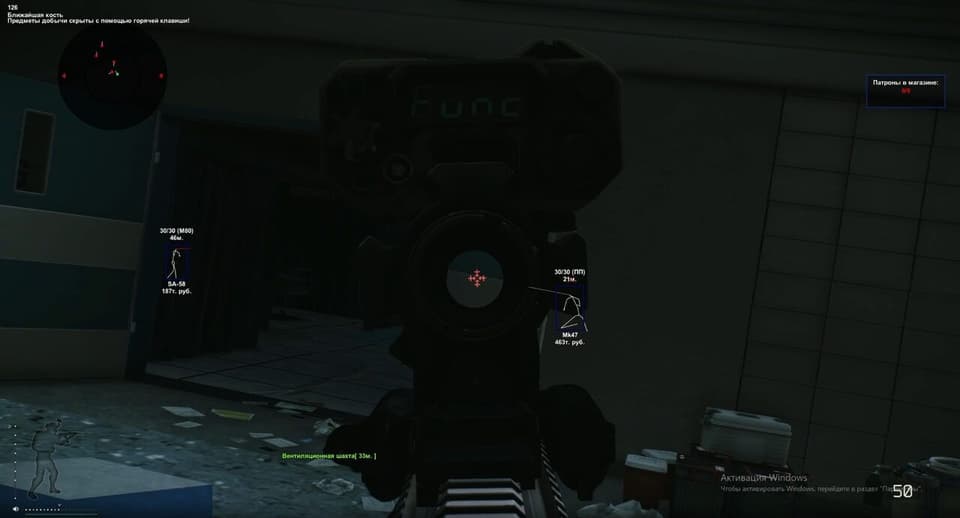
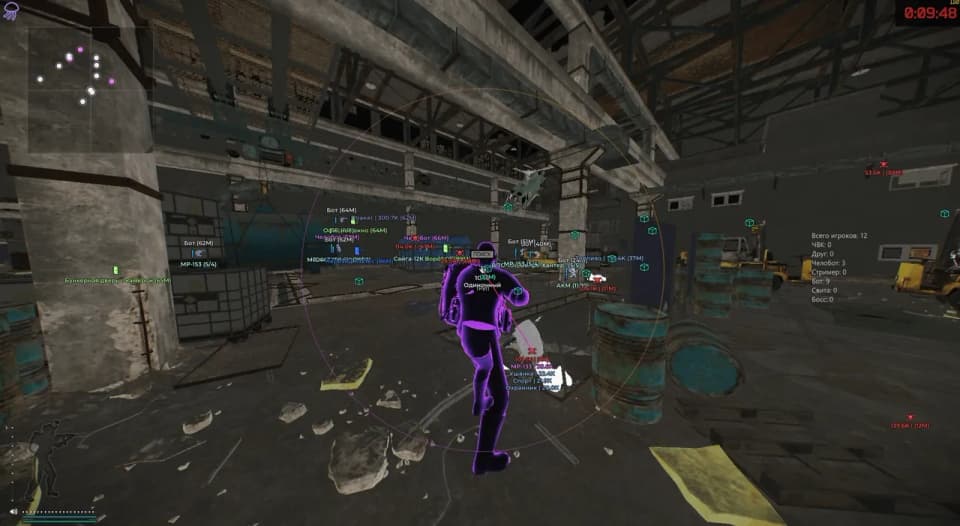
Show Visuals – enable wallhack Box – draw box Bone – draw skeleton Name – display enemy names Exits – show exits Grenades – show grenades Player Price – show player inventory price Level – player level Snipe zone – sniper zones Weapon – weapon in player’s hands Mines – draw mines Enemy armor – display armor Enemy ammo – display enemy ammo Head outline – head highlight Players on map – show player list on map Bear / Usec – show faction K/D rate – kill/death ratio Bot name – display bot names Distance – calculate player distance Snapline – lines to players Turn off info – hide additional info (top-left) Max distance – ESP render distance RADAR
Mode – radar mode selection Color – background color Transparency – radar transparency Max Distance – radar working distance Players' perspective – player view direction Gaze indicator – shows if enemy looks at you MISC
Crosshair – additional crosshair Border – radar border type Radar – enable radar My Ammo – show ammo amount and type No recoil + No breath + No sway – disable shaking, weapon sway and recoil No visor – remove visor Infinity stamina – infinite stamina Thermal visor – night/thermal vision Loot through walls – loot items through walls (up to 4m) Chams – player color models Quest items – display quest items Quest marks / places – display quest locations Quest full info – quest hints Always daytime – always day (client-side) Skip examining – instant examine Fast search – fast enemy search LOOT
Open custom loot filter – open manual loot filter Show items – show items Show loot in containers – container loot Show loot in dead boxes – loot in corpses Show ‘found in raid’ – FIR status Show full weapon price – weapon value Show drink / food (15%) – food/water under 15% Collapse container child – show nested container content Show debug items – debug items Show all keys – all keys Show all medicine – all medicine Show best loot – highlight best loot Sort by price – sort by price Sort by slot – price per slot Min item price – minimum price Max item distance – item distance Max container distance – container distance FRIENDS
Add friend – add friend (ignore in aimbot) Remove friend – remove friend KEYS
Keys – keybind settings Panic key – instant visuals disable Show loot key – toggle loot Thermal vision key – toggle thermal vision Switch aim spot key – switch aimbot bone Unload key – unload cheat Font size – select font size Font name – select font
CHOOSE SUBSCRIPTION TIME
We accept



System requirements
Supported game launcher:
STEAM & Launcher
Included spoofer:
Yes
Anticheat
Game anticheat
Stream Bypass:
Yes
Supported game modes:
Windowed, Borderless, Fullscreen
Supported CPU:
Intel & AMD
Supported OC:
Windows 10 (21H2, 22H2), Windows 11(22H2, 23H2)
Frequently bought together
Similar products
Customer reviews
No reviews yet — you can be the first.
DESYNC alters network synchronization in Escape from Tarkov, modifying data exchange between client and server to create controlled desync. The program does not change game files but adjusts system network parameters.
The tool includes features such as aimbot, ESP, radar, loot filters, and various utilities. Prices and subscription periods vary by seller; always review the specific listing before purchase.
Before buying, verify system requirements and current compatibility status, as it may change after game or anti-cheat updates. Installation instructions are provided, and AnyHacks offers support if needed.
FREQUENTLY ASKED QUESTIONS
DESYNC modifies network synchronization in Escape from Tarkov to create controlled desync between client and server.