LAGSWITCH DESYNC для PUBG
Описание чита
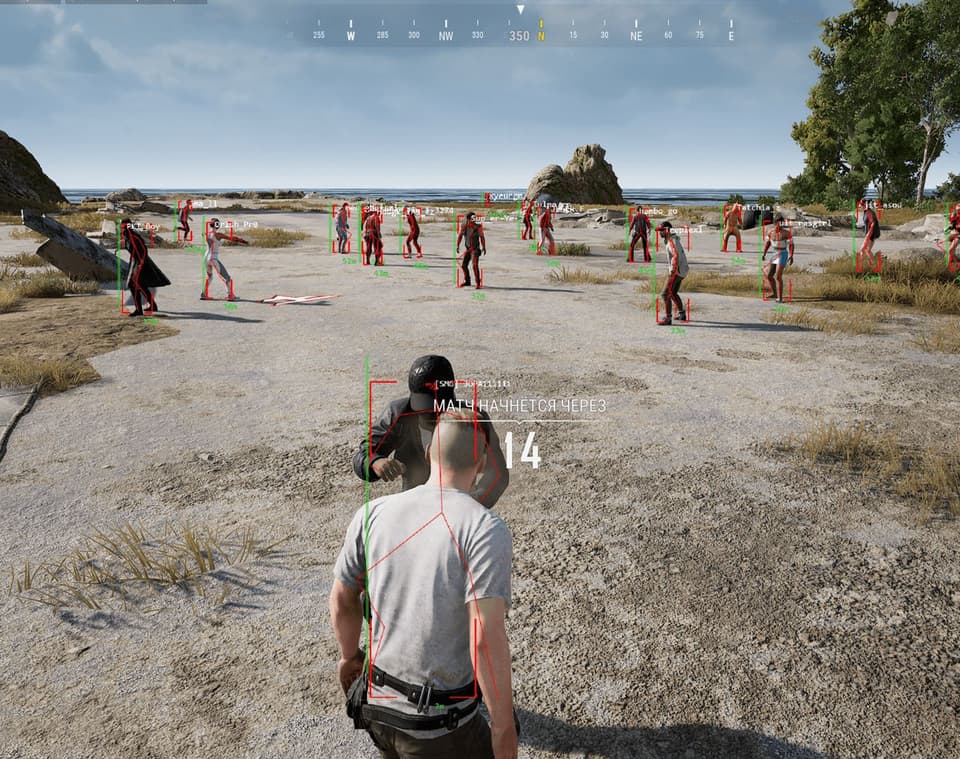
Want to dominate your Pubg matches with confidence? Then LAGSWITCH is your perfect companion! This cheat will transform your gameplay experience by adding unique features that will change your strategy and take your skill to the next level.
With LAGSWITCH, you can freeze enemies in place for a few seconds, giving you precious time to make decisions and plan your next moves effectively. Multiple lag modes allow you to tailor the cheat to your playstyle — choose between Lag Switch and Fake Lag, depending on the situation on the battlefield.
Controlling LAGSWITCH is simple and convenient. You can activate lag with a single custom hotkey, while sound effects add immersion to your tactical plays.
The main advantage of this cheat is its flexibility. You can configure the lag duration, delay between activation and deactivation, enable traffic filtering, and much more. And of course, don’t forget to save your settings so you can pick up exactly where you left off next time.
LAGSWITCH isn’t just a cheat — it’s a tool that helps you reach new heights in Pubg. Don’t miss your chance to improve your gameplay — get LAGSWITCH now and become unstoppable in battle!
Функции чита
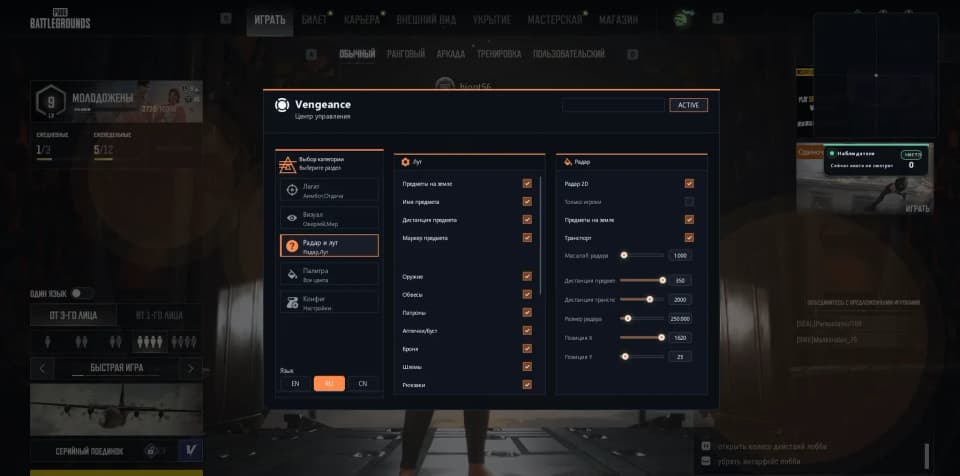
Main Tab
Enable desync – activates all core features Enable Keybind – keybind to activate features Sounds – sound effects for actions (e.g. activation) Firewall mode – uses Windows Firewall instead of a driver Path – path to the target executable/game (used with Firewall mode) Method – activation method selection: Temporary: desync runs according to configured duration Pressing: runs until the key is pressed again Hold: runs while the key is being held down Traffic – type of traffic to block: Outbound: outgoing traffic Inbound: incoming traffic Duration – desync active time (without kick bypass, for Temporary method) Delay after – delay after desync ends before it can be reactivated KeyBind – main hotkey for desync activation Protocol – traffic protocol to block: UDP TCP Kick bypass – prevents disconnection from the game due to poor connection: Duration: duration of each desync cycle Separator: delay between desync cycles Iterations: number of desync repetitions (Duration * Iterations) Settings Tab
Randomizator – randomizes the duration of the block Fix Traffic – emergency button to restore internet if something goes wrong Save Configuration – saves current config Reset Configuration – resets config to default settings Logs Tab
All logs – enables log display during desync activation Delete Logs – removes log files Log File – location of the log file Logs – displays software activity logs
ВЫБЕРИТЕ СРОК ПОДПИСКИ
Принимаем к оплате



Системные требования
Included spoofer:
No
Anticheat:
BE
Supported game modes:
Windowed, Borderless, Fullscreen
Supported CPU:
Intel & AMD
Supported OC:
Windows 10, 11
Часто берут вместе

Похожие товары
Отзывы покупателей
Отзывов пока нет — вы можете стать первым.
Lagswitch Desync для PUBG — это инструмент для манипуляции трафиком, который временно блокирует данные, замораживая врагов на несколько секунд. Несколько режимов лага, включая Lag Switch и Fake Lag, позволяют адаптироваться к разным ситуациям. Простой интерфейс с биндами и звуковыми эффектами упрощает управление.
Блокировка может выполняться через Firewall или драйвер, с настройкой длительности, задержки и обхода кика для предотвращения отключения. Можно выбрать исходящий или входящий трафик, протокол UDP или TCP. Рандомизация и сохранение конфигураций добавляют гибкости. Стоимость и периоды подписки могут различаться.
Перед покупкой проверьте текущую совместимость и статус продукта, так как обновления игры или античита могут повлиять на работу. Следуйте инструкциям по установке и обращайтесь в поддержку AnyHacks при необходимости.
ЧАСТЫЕ ВОПРОСЫ
Он временно блокирует исходящий или входящий трафик, вызывая десинк, который замораживает других игроков.